How Everyday People Can Use AI to Work Smarter, Live Easier
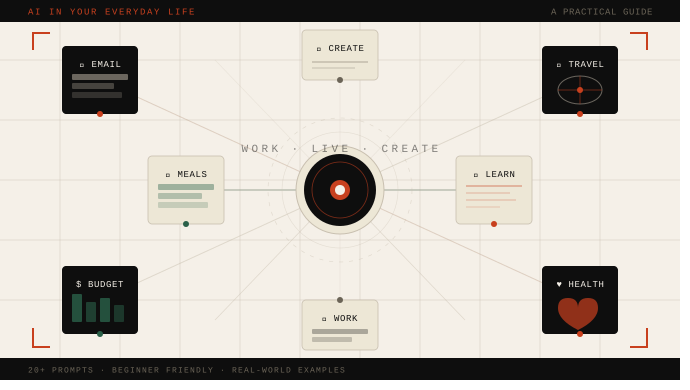
A no-jargon, hands-on guide to putting AI assistants to work in your real daily life — from drafting emails to planning meals, managing money, and beyond.
Reading time: 18 min · Level: Beginner-friendly · Includes: 20+ sample prompts, real-world examples, tips & best practices
Table of Contents
- What AI Can (and Can’t) Do for You
- Writing & Communication
- Work & Productivity
- Learning & Research
- Personal Finance
- Health & Wellness
- Home & Lifestyle
- Creative Projects
- The Art of Prompting
- Best Practices & Pitfalls to Avoid
1. What AI Can (and Can’t) Do for You
Artificial intelligence has quietly moved from science fiction to something you can open on your phone right now. Tools like Claude, ChatGPT, Gemini, and others have become surprisingly capable generalist assistants — and yet most people use them for only a tiny fraction of what they can do.
This guide is not about hype. It’s about practical, concrete ways to integrate AI into the things you already do every day: writing emails, researching topics, planning trips, cooking dinner, managing money, and tackling creative projects. Every tip in this article is something you can try within the next five minutes.
You don’t need to be technical. You don’t need to understand how the models work. You just need to know how to ask a good question — and this guide will teach you exactly that.
What AI is great at
- Drafting, rewriting, and summarizing text
- Explaining complex topics in plain language
- Brainstorming and generating ideas
- Breaking down step-by-step instructions
- Answering general knowledge questions
- Translating languages and adjusting tone
What AI is NOT good at
- Providing real-time information (news, live prices, current events)
- Replacing doctors, lawyers, or financial advisors
- Guaranteeing factual accuracy — it can “hallucinate” confident-sounding errors
- Knowing personal details about you unless you provide them
The core idea: Think of AI as a brilliant, tireless assistant who has read an enormous amount but sometimes misremembers details. Brief it well, review its output, and you’ll be amazed at how much time it saves you.
2. Writing & Communication
Writing is the single biggest time-sink for most people — emails, messages, reports, cover letters, thank-you notes. AI excels at all of them. Think of it as a co-writer who is always available, never judges your drafts, and can match any tone you need.
Drafting & Rewriting Emails
Staring at a blank email for 20 minutes is a universal experience. Give AI the bullet points of what you need to say and let it write the first draft. You edit, personalize, and send.
Sample Prompt — Email Draft:
Write a professional but friendly email to my landlord asking them to fix
the broken heating in my apartment. I've mentioned it twice already.
Keep it firm but polite, around 100 words.
Sample Prompt — Tone Adjustment:
Rewrite this email to sound more confident and less apologetic. Keep the
same core message but remove phrases like "I'm sorry to bother you" and
"if that's okay":

[Paste your email here]
💡 Pro Tip: Always tell AI the relationship (boss, friend, stranger), the goal of the email, and the tone you want. The more context, the better the output.
Cover Letters & Job Applications
AI can dramatically improve the quality and speed of your job applications. Paste in a job description and your résumé bullet points, and ask for a tailored cover letter.
Sample Prompt — Cover Letter:
Write a cover letter for a Marketing Coordinator role at a sustainability
startup. My background: 3 years in social media management, ran campaigns
for two local NGOs, increased Instagram engagement by 40%. I care about
environmental issues. Keep it under 300 words, enthusiastic but not over-the-top.
Difficult Conversations & Text Messages
Need to cancel plans, give feedback to a friend, or respond to a passive-aggressive message? AI can help you find the right words.
Sample Prompt — Tricky Text:
Help me write a text to a friend declining their wedding invitation.
I genuinely can't afford the travel. I want to be warm, honest about
the reason without making it awkward, and still feel celebratory for them.
3. Work & Productivity
Whether you work a desk job, freelance, or run a small business, AI can act as a tireless assistant that summarizes, organizes, drafts, and thinks alongside you.
Summarizing Long Documents
Paste in a long report, article, or contract and ask for a plain-English summary. AI can distill 20 pages into five bullet points in seconds.
Sample Prompt — Document Summary:
Summarize the following lease agreement in plain English. Focus on:
1) key dates, 2) what I'm responsible for, 3) any unusual clauses
I should know about.

[Paste text here]
Planning & Prioritization
Dump your overwhelming to-do list into AI and ask it to help you organize, prioritize, or build a realistic schedule.
Sample Prompt — Weekly Planning:
Here's everything I need to do this week. I work 9-5 Mon-Fri, have two
kids, and am exhausted by 9pm. Help me build a realistic schedule and
flag what can be delegated or dropped:

- Finish quarterly report (due Friday)
- Buy birthday gift for mom (her birthday Sunday)
- Reply to 12 unread work emails
- Schedule dentist appointment
- Groceries, clean bathroom, prepare for Thursday meeting
Meeting Prep & Follow-Ups
Before a meeting, ask AI to help you prepare smart questions or an agenda. After a meeting, paste your rough notes and ask for a clean summary with action items.
Sample Prompt — Meeting Notes Cleanup:
Here are my raw notes from a client meeting. Turn them into a clean
summary with: a brief overview of what was discussed, a list of action
items with owners, and any open questions.

[Paste messy notes]
💡 Time-Saver Workflow: Use AI to write the first draft of anything, then spend your energy editing rather than creating from scratch. You’ll typically cut writing time by 60-70%.
4. Learning & Research
AI is one of the best tutors ever built. It’s endlessly patient, adjusts its explanation to your level, never makes you feel dumb for asking, and can explain virtually any topic.
Explain Anything at Your Level
The secret is telling AI exactly how much you already know.
Sample Prompt — Concept Explanation:
Explain how compound interest works. I'm not great at math — use a simple
real-life example with actual numbers to show how it grows over time,
and why starting early matters so much.
Sample Prompt — Deep Dive:
I just read that the Fed raised interest rates. I understand basic
economics. Explain in 200 words why rate hikes affect inflation, and
what the main tradeoffs are.
Research Assistance
Use AI to get a structured starting point on any topic — a quick overview, key terms, pros and cons, or questions you should be asking.
Sample Prompt — Research Jumpstart:
I'm considering switching from renting to buying a home. Give me:
1) the key financial factors I should think about,
2) questions I should ask a mortgage advisor,
3) things first-time buyers commonly overlook.
⚠️ Important Caveat: AI can provide general information but shouldn’t replace professionals for medical, legal, or financial decisions. Use AI to learn and prepare — then confirm important decisions with a qualified expert.
Language Learning & Translation
AI makes a surprisingly good language tutor. Ask it to translate, correct your grammar, or practice conversation with you.
Sample Prompt — Language Practice:
I'm learning Spanish at a beginner level. Let's have a short conversation
about ordering coffee at a cafe. Respond in Spanish, then give me the
English translation below each of your lines. Correct any mistakes I
make and explain them simply.
“The best use of AI isn’t replacing your thinking — it’s clearing away the routine friction so you have more energy for the thinking that actually matters.”
5. Personal Finance
Managing money is stressful partly because it feels opaque and jargon-filled. AI can translate that jargon, help you build budgets, and walk you through financial concepts without judgment.
Budgeting & Spending Plans
Sample Prompt — Budget Builder:
My take-home pay is 3,800 per month. Fixed expenses: 1,200 rent, 120 car
insurance, 80 phone, 50 subscriptions. I want to save 400 per month and
pay off 5,000 in credit card debt within 18 months. Help me build a
realistic monthly budget and tell me where I need to cut back.
Understanding Financial Documents
Confusing bank statements, investment summaries, or insurance policies? Paste the text (removing sensitive personal details) and ask for a plain-English explanation.
Sample Prompt — Decode Jargon:
Here's a section from my health insurance Explanation of Benefits document.
Explain in plain English what I actually owe, what the insurance covered,
and what "coinsurance" and "deductible applied" mean in this context:

[Paste document text — remove personal info first]
6. Health & Wellness
AI won’t diagnose you — and you shouldn’t ask it to — but it can help you understand health information, prepare better questions for your doctor, and build sustainable wellness habits.
Preparing for Doctor Appointments
Most people leave appointments realizing they forgot to ask something important. Use AI to prepare a focused list of questions beforehand.
Sample Prompt — Doctor Prep:
I have a follow-up appointment about high blood pressure. I was prescribed
lisinopril 3 months ago. Help me prepare 8 specific questions covering
how to assess if it's working, side effects, lifestyle changes, and
long-term monitoring.
Fitness & Habit Planning
AI can help you design a workout routine, build healthier habits, or create a meal plan tailored to your schedule and goals.
Sample Prompt — Workout Plan:
Create a 3-day-per-week beginner workout plan for someone who has 30
minutes per session, works from home, has only resistance bands, and
wants to build general fitness. Include warm-up and cool-down guidance.
⚠️ Health & Safety: AI is not a doctor. Never use it to self-diagnose, determine medication dosages, or replace professional medical advice. Use it to become a more informed, better-prepared patient.
7. Home & Lifestyle
Some of the most satisfying AI uses are the small, everyday ones — figuring out what to cook, planning a trip, or solving a home repair mystery.
Meal Planning & Recipes
Sample Prompt — Use What You Have:
I have: chicken thighs, canned tomatoes, onions, garlic, frozen spinach,
pasta, and basic pantry staples. Suggest 3 different dinners I can make
this week with simple instructions for each. Nothing fancy.
Sample Prompt — Weekly Meal Plan:
Create a 5-day meal plan for a family of 4 with a 150 per week grocery
budget. One person is vegetarian, one child won't eat spicy food. Include
breakfast, lunch, and dinner each day, plus a consolidated shopping list.
Travel Planning
AI can draft detailed itineraries, suggest off-the-beaten-path spots, help you pack, and translate key phrases.
Sample Prompt — Trip Itinerary:
Plan a 5-day trip to Lisbon, Portugal for two adults in late September.
We like history, good food, and walking — but not overly touristy spots.
Mid-range budget. Include day-by-day suggestions, specific restaurant
picks, day trip options, and 3 things most guidebooks don't mention.
Home Repairs & DIY
Describe a problem and ask for a step-by-step fix — AI can walk you through surprisingly complex repairs in plain language.
Sample Prompt — DIY Repair:
The toilet in my apartment keeps running — I can hear water constantly.
I'm a complete beginner at repairs. Walk me through how to diagnose
the problem and fix it step by step. What tools do I need?
What should I watch out for?
8. Creative Projects
AI is a versatile creative collaborator — whether you write, brainstorm, design, or just want to get unstuck.
Writing & Storytelling
Sample Prompt — Story Brainstorm:
I'm writing a short story about a lighthouse keeper in the 1920s who
discovers a message in a bottle that changes her life. Give me 5 very
different directions the story could go — from realistic to slightly
magical. For each, suggest the emotional core.
Brainstorming & Ideas
Use AI as a brainstorming partner for anything — party themes, gift ideas, business names, social media content, room makeovers.
Sample Prompt — Creative Brainstorm:
I need 10 unique birthday party theme ideas for a 7-year-old who loves
dinosaurs and space but has already had a dinosaur party. Push beyond
the obvious. For each idea, describe the key activity and one easy
DIY decoration.
9. The Art of Prompting
The quality of what AI gives you is almost entirely determined by how you ask. A vague question gives a vague answer. Here’s how to ask well.
Weak vs. Strong Prompts
| Weak Prompt | Strong Prompt | What Changed |
|---|---|---|
| ”Write me an email." | "Write a 100-word professional email to my manager requesting Friday off. Reason: family commitment. Tone: polite and direct.” | Added length, recipient, reason, and tone |
| ”Explain investing." | "Explain index fund investing to someone who has never invested and is nervous about risk. Use a concrete example with numbers.” | Defined audience, focus, and format |
| ”Help me with my resume." | "I’m applying for a UX Designer role. Rewrite my resume summary to emphasize user research and collaboration skills, in under 60 words.” | Specific role, section, and goal |
| ”Give me recipe ideas." | "Suggest 3 weeknight dinners using chicken, broccoli, and rice. Under 30 min each. One family member is lactose intolerant.” | Ingredients, time constraint, dietary need |
6 Prompting Principles
1. Be Specific Tell AI the format, length, audience, and purpose. “Write a short email” is 10x less effective than “Write an 80-word email to a supplier asking for a quote.”
2. Assign a Role Start with “You are a…” — for example, “You are a patient tutor explaining this to a complete beginner.” It shifts the entire tone and approach.
3. Iterate, Don’t Restart If the first answer isn’t right, follow up: “Make it shorter,” “Make it less formal,” “Add a specific example.” AI remembers your conversation.
4. Give Examples Show AI what you want: “Write something like this, but about X.” Or: “Here’s a past email I wrote — match this tone.”
5. Request a Format Ask for bullet points, numbered steps, a table, a comparison, or Q&A. Specifying structure makes responses dramatically more useful.
6. Say What NOT to Do Constraints are powerful: “Don’t use jargon,” “Don’t mention price,” “Avoid cliches.” Telling AI what to avoid is as useful as telling it what to include.
10. Best Practices & Pitfalls to Avoid
Knowing how to get the most out of AI also means knowing its real limitations. These aren’t reasons to avoid it — they’re reasons to use it thoughtfully.
Best Practices
- Always review and edit. AI output is a starting point, not a final product. Your judgment will always improve it.
- Protect your privacy. Don’t share Social Security numbers, passwords, financial account numbers, or confidential work data in AI chats.
- Verify facts that matter. AI can confidently state incorrect information. Cross-check any specific facts or statistics before acting on them.
- Be specific about what you need. The more context you give, the better the output. Treat AI like a smart contractor who needs a clear brief.
- Use it iteratively. If the answer isn’t right, refine it in the same conversation rather than starting over.
- Keep the human in the loop. For important decisions — medical, legal, financial — AI can inform and prepare you, but the final judgment should always be yours or a professional’s.
Common Pitfalls
- Treating it as infallible. AI models can generate plausible-sounding but incorrect information. Verify anything critical.
- Using it for real-time information. Most AI models have a knowledge cutoff. Don’t rely on them for current news or live prices without a web search.
- Sending one-word prompts. “Help me” gets you nothing useful. Spend 60 extra seconds building a proper prompt — it saves minutes of back-and-forth.
- Copying without reading. Never send an AI-generated email, document, or message without reading it first. Even small errors can cause big misunderstandings.
- Over-relying on it for your creative voice. AI writing can be generic. Use it for structure and drafts, then rewrite key passages in your own voice.
Getting Started Today
Pick one task from this article that you find annoying or time-consuming. Try the sample prompt as-is, then tweak it to your specific situation. Most people are surprised how quickly they find a workflow that sticks.
The goal isn’t to replace your thinking — it’s to eliminate the friction that gets in the way of it.
All information provided for educational purposes. Always consult qualified professionals for medical, legal, and financial decisions. AI capabilities are evolving rapidly; best practices may shift as tools improve.